
Table of Contents
How to Extend the Lifespan of Your Gaming PC Through Cleaning
A gaming PC is not just a computer. It is an investment. Expensive graphics cards, fast processors, and effective cooling systems are all geared towards providing smooth play. Nevertheless, the ideal arrangements slow down without frequent maintenance. This is where a gaming PC cleaning service Las Vegas becomes essential.
Your system is damaged by dust, heat, and everyday use. The issue is not observed by many gamers until their PC begins overheating or shutting down. Professional cleaning will avert these problems at an early stage and ensure that you have a smooth and dependable gaming experience.
Eastern Laptop Repair will come with more than 20 years of experience in the field of PC and laptop repair, having already managed to fix 8,134 devices. Our professional technicians will make sure that your gaming machine performs to its optimum capacity, each and every time.
Reasons Why Gaming PCs Get Dirty Faster Than Regular Computers
Gaming PCs are built for power. Because of that, they pull in more air than normal systems. More air also means more dust.
Common reasons gaming PCs collect dust quickly include:
- Multiple intake and exhaust fans
- High-performance GPUs generating heat
- Long gaming sessions without breaks
- Open or mesh-style PC cases
Over time, this dust sticks to fans, heat sinks, and internal parts. As a result, airflow drops and temperatures rise.
The Real Risk of Dust Inside a Gaming PC
Dust is not harmless. It slowly causes serious damage if ignored.
Here is what dust buildup can lead to:
- Higher internal temperatures
- Loud and overworked fans
- Slower game performance
- Random crashes or restarts
- Shorter lifespan of expensive parts
Many users then look for gaming PC overheating repair, not realizing the root cause is poor internal cleanliness.
How Dirty PCs Affect Gaming Performance
When a gaming PC overheats, it protects itself by slowing down. This is called thermal throttling.
You may notice:
- Sudden FPS drops
- Lag during intense scenes
- Games are closing without warning
- Long loading times
Professional cleaning restores airflow and helps your system run at safe temperatures again. This is why professional help is recommended instead of quick DIY fixes.
Why Home Cleaning is Often Not Enough
Using compressed air at home helps, but it only removes surface dust. Important areas stay untouched.
DIY cleaning risks include:
- Static damage to components
- Fans are spinning too fast and breaking
- Dust pushed deeper into the system
- Missed buildup inside power supplies
A reputable gaming PC cleaning service Las Vegas will clean all the key portions with safe equipment and methods to ensure none of the areas are damaged.
| Looking For Reliable Computer Repair Services? Professional service also ensures that your system is fast, stable, and prepared to face any game. Get Expert Computer Repair Help |
What a Professional Gaming PC Cleaning Service Includes
A proper service goes far beyond blowing air into the case.
Typical professional cleaning steps:
- Full internal inspection
- Safe gaming PC dust removal from all components
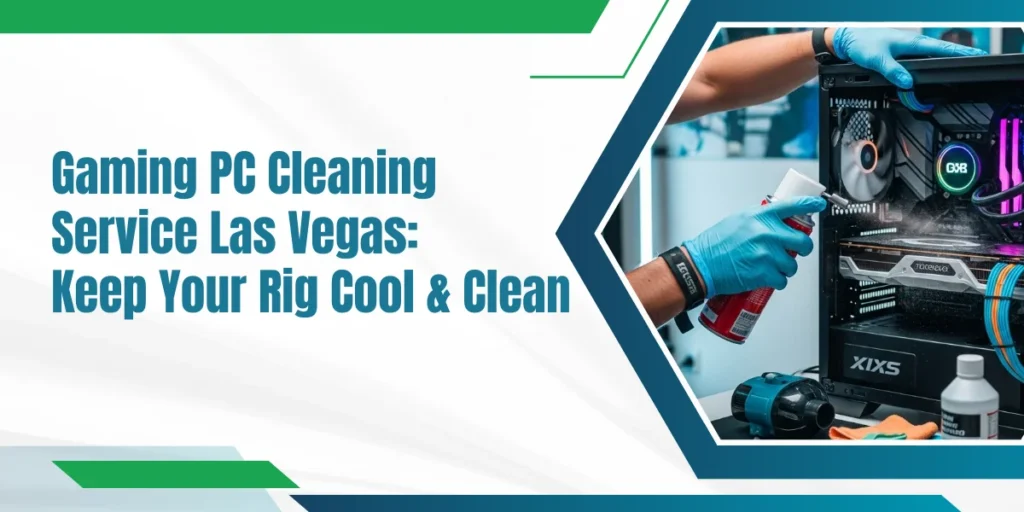
- Detailed gaming PC fan cleaning
- Heat sink and radiator cleaning
- Cable repositioning for better airflow
Many services also check for early signs of hardware failure, saving you from costly repairs later.
| Get your system checked before small problems turn into major failures. Need expert gaming PC repair? |
Benefits of Regular Professional Cleaning From Experts
Regular professional cleaning offers clear long-term benefits.
Key advantages:
- Lower operating temperatures
- Quieter fans
- Stable gaming performance
- Longer lifespan of GPU, CPU, and PSU
- Fewer unexpected breakdowns
This is why a gaming PC maintenance service is a smart investment for serious gamers.
How Often Should Gaming PCs Be Cleaned?
Cleaning frequency depends on usage and environment.
General guidelines:
- Heavy gaming: every 4 to 6 months
- Moderate gaming: every 6 to 8 months
- Light gaming: once a year
Pets, smoking, or poor ventilation may increase the frequency of cleaning in homes. When your PC is getting hot, the sound is high, or slow, then it is time to pin any gaming PC cleaning service Las Vegas.
Professional Cleaning vs Component Replacement Costs
Skipping maintenance often leads to higher costs later.
| Regular Cleaning | No Cleaning |
| Stable temperatures | Frequent overheating |
| Longer hardware life | Early part failure |
| Smooth gameplay | Performance drops |
| Lower repair costs | Expensive replacements |
Professional cleaning costs far less than replacing a damaged graphics card or power supply.
Stats That Show Why Cleaning Matters
- Dust buildup can raise internal PC temperatures by up to 15°C
- Overheating reduces CPU and GPU lifespan by nearly 30 percent
- Clean airflow can improve fan efficiency by up to 40 percent
These are real reasons why regular professional cleaning is not optional for gamers.
| Contact Us for Professional PC Cleaning Service for better performance, quieter fans, and longer hardware life, professional care is the smart choice. Contact us now to schedule your trusted gaming PC cleaning service Las Vegas. |
5 Common Gaming PC Cleaning Myths You Should Stop Believing
Many gamers believe cleaning is optional. This is not true.
| Myth | Fact |
| Liquid cooling means no cleaning is needed | Radiators, fans, and filters still collect dust and must be cleaned regularly |
| High-end gaming parts don’t need maintenance | Powerful GPUs and CPUs create more heat and need more frequent cleaning |
| More fans automatically fix overheating | Extra fans can pull in more dust if the system is not cleaned |
| New gaming PCs don’t get dirty | Dust starts building up within weeks of regular use |
| Loud fans are normal for gaming PCs | Loud fans often mean airflow is blocked by dust |
8 Everyday Tips to Keep Your Gaming PC Clean and Cool
You can reduce dust buildup with simple habits:
- Keep your gaming PC off the floor to reduce dust intake
- Clean dust filters at least once a month
- Place your PC in a well-ventilated area
- Avoid blocking intake and exhaust vents
- Keep your gaming room clean and dust-free
- Use a PC case with proper dust filters
- Shut down your PC when not in use for long periods
- Avoid smoking or vaping near your gaming setup
Why Gamers Trust Eastern Laptop Repair for PC Cleaning
Trust Eastern Laptop Repair for professional gaming PC care:
- 20 Years of Experience – Serving PCs and laptops expertly
- Affordable Prices That Fit Your Budget
- Genuine Manufacturer Parts Only – No fake components
- Free Diagnostics Before Any Service Begins
- Certified Technicians Handling Every Repair Safely
- On-Time Service Guaranteed for Every Job
- 30-Day Warranty on All Repairs Provided
Final Thoughts
A clean gaming computer produces less heat, runs quicker, and has more performance. Dust can be considered tiny, but its effects are severe in the long run. Professional cleaning regularly also helps your investment stay safe, as well as keep your games running.
One of the simplest options to prevent overheating, reduced performance, and high expenses of repair is to select a trustworthy gaming PC cleaning service Las Vegas. The responsibility of cleaning should be included as part and parcel of owning games and not an afterthought.
Call us now or book your free diagnostics to keep your gaming PC in top condition.