
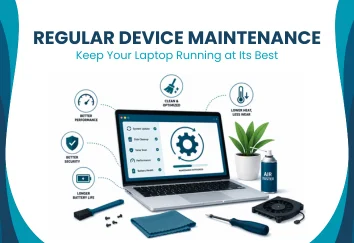
Every computer, laptop, and electronic device experiences wear over time. While no device lasts forever, understanding the benefits of device maintenance can help you reduce unnecessary wear, improve performance, and extend its usable life. Regular maintenance isn’t just about fixing problems when they happen. It focuses on preventing issues before they become expensive repairs.
In this guide, you’ll learn what device maintenance involves, why it matters, and the simple habits that help keep your device running reliably for years.
| Not sure if your device needs maintenance? Book a free diagnostic to identify hidden performance issues before they become major repairs. Book a Free Diagnostic |
What Is Device Maintenance?
Device maintenance refers to routine tasks performed to keep computers and other electronic devices operating efficiently. Unlike repairs, which fix existing faults, maintenance focuses on preventing problems before they occur.
Routine preventive device maintenance may include:
- Cleaning dust from cooling vents
- Installing software and security updates
- Monitoring storage space
- Checking battery condition
- Running hardware diagnostics
- Removing unnecessary files
Quick answer: Device maintenance is the regular care of your computer or electronic device to improve performance, reduce wear, and lower the risk of unexpected hardware or software failures.
Regular maintenance cannot stop natural ageing, but it can significantly reduce avoidable damage.
What Are the Device Maintenance Benefits?
One of the biggest device maintenance benefits is improved reliability. Small maintenance tasks often prevent larger issues from developing over time.
Key benefits include:
- Faster system performance
- Longer device lifespan
- Better battery efficiency
- Reduced overheating
- Improved system security
- Lower repair costs
- Fewer unexpected crashes
According to the U.S. Cybersecurity and Infrastructure Security Agency (CISA), regularly updating software helps reduce security vulnerabilities by addressing known weaknesses. Keeping software current is one of the simplest maintenance tasks with long-term benefits.
How Does Regular Maintenance Extend Device Lifespan?
Many hardware failures develop gradually rather than suddenly. Dust accumulation, outdated software, poor airflow, and neglected batteries all increase wear on important components.
Routine hardware maintenance helps by:
- Improving cooling efficiency
- Reducing internal dust buildup
- Preventing overheating
- Maintaining battery condition
- Identifying worn components early
For example, clogged cooling vents force fans to work harder and increase internal temperatures. Over time, excessive heat can shorten the lifespan of processors, storage drives, and batteries.
If your device has been running hotter than usual, our computer maintenance service can help identify cooling issues before they lead to costly repairs.
How Often Should You Maintain Your Device?
Maintenance works best when performed consistently rather than waiting for problems to appear.
Every Week
- Restart your computer.
- Delete unnecessary downloads.
- Empty the recycle bin.
- Update antivirus definitions.
Every Month
- Install operating system updates.
- Review available storage.
- Check battery condition.
- Remove unused applications.
Every Three to Six Months
- Clean dust from air vents.
- Inspect cooling fans.
- Run built-in diagnostic tools.
- Back up important files.
Once a Year
- Schedule a professional inspection.
- Replace thermal paste if necessary.
- Check overall hardware health.
These simple habits highlight the long-term device maintenance benefits of preventive care.
Common Maintenance Mistakes to Avoid
Many users unintentionally shorten their computer’s lifespan through avoidable mistakes.
Common examples include:
Ignoring Software Updates
Outdated software can create security risks and compatibility problems.
Blocking Air Vents
Using laptops on beds or soft furniture restricts airflow and increases temperatures.
Skipping Regular Cleaning
Dust reduces cooling efficiency and places extra strain on internal components.
Delaying Small Repairs
Ignoring unusual noises, overheating, or battery issues often allows minor faults to become expensive repairs.
Never Backing Up Data
Maintenance also includes protecting your important files.
Research from Backblaze’s annual drive reliability reports shows that storage devices can fail unexpectedly, making regular backups an important part of long-term device care.
| Need Professional Device Maintenance? If your computer has become slow, noisy, or frequently overheats, call us today to arrange a professional inspection. Call Us Today |
Does Device Maintenance Improve Performance?
Yes. One reason device maintenance benefits are so valuable is that they help maintain consistent system performance.
Routine maintenance can:
- Improve startup times
- Reduce application crashes
- Free up storage space
- Improve battery efficiency
- Reduce background resource usage
- Help cooling systems operate more effectively
While maintenance cannot make ageing hardware perform like new, it can help your existing components operate closer to their intended performance.

When Should You Schedule Professional Maintenance?
Some maintenance tasks are simple enough to perform at home, while others require specialised tools and experience.
Professional maintenance is recommended if:
- The device overheats regularly.
- Fans become unusually loud.
- Startup takes much longer than before.
- The battery drains rapidly.
- Random shutdowns occur.
- Hardware errors appear frequently.
- The device has not been serviced in several years.
Professional inspections can identify developing issues that are difficult to detect during everyday use.
| If you’re unsure whether your device needs maintenance, contact us for a professional assessment. Preventive servicing helps identify hidden issues before they affect performance or reliability. |
Frequently Asked Questions
How often should I maintain my computer?
Basic maintenance should be performed monthly, with professional servicing recommended every 6 to 12 months.
Can regular maintenance improve computer speed?
Yes. Cleaning, software updates, and removing unnecessary files can improve performance.
Does cleaning dust really help a computer?
Yes. Removing dust improves airflow and reduces overheating.
Is device maintenance worth it for older computers?
Yes. Regular maintenance can improve reliability and extend the usable life of older devices.
Can software updates improve performance?
Yes. Updates often include performance improvements, bug fixes, and security patches.
What does professional device maintenance include?
It typically includes hardware inspection, internal cleaning, software updates, diagnostics, and performance checks.
Conclusion
The device maintenance benefits extend far beyond keeping your computer clean. Regular maintenance helps improve system performance, reduce overheating, extend device lifespan, and lower the risk of unexpected hardware failures.
Although maintenance cannot prevent natural ageing, it can significantly reduce unnecessary wear and improve long-term reliability. By combining simple routine care with professional inspections when needed, you can keep your device performing efficiently and avoid many common repair issues before they become costly problems.