
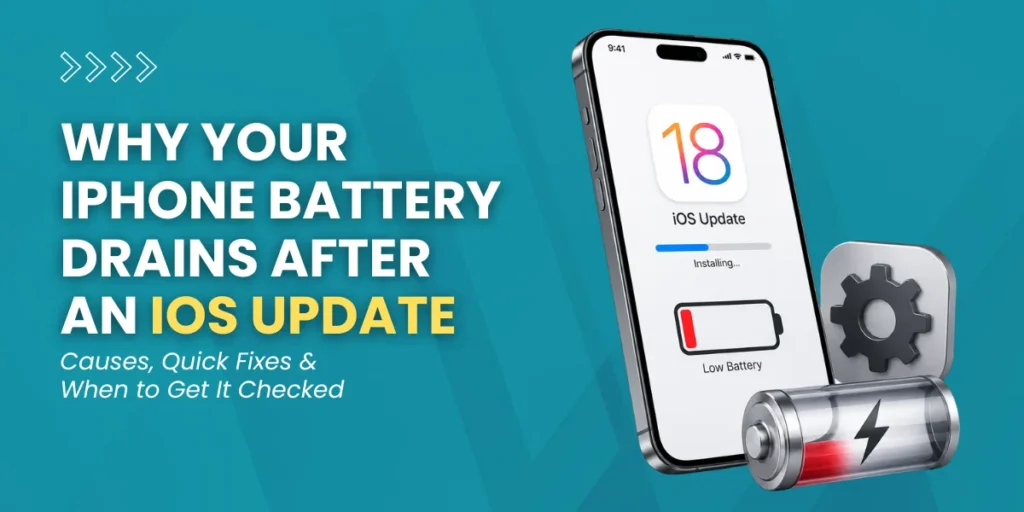
Updating your iPhone should improve performance, but many users notice unexpected battery drain after a new iOS version. One common concern is iOS update battery performance, which can drop faster than usual due to background processes, app updates, and system recalibration.
If you’ve recently updated your device and noticed your battery percentage dropping faster than usual, you’re not alone. This can feel frustrating, especially when your phone struggles to last a full day with normal use.
The good news is that this issue is often temporary and can be managed with the right steps.
| Free iPhone Battery Check Is your iOS update battery draining fast? Get a quick, free diagnostic and keep your iPhone running smoothly. Book Free Diagnostic |
What Happens After an iOS Update
After an update, your iPhone doesn’t instantly settle into normal performance. Instead, it goes through a series of background activities to stabilize the system.
These include:
- System Optimization: iOS reorganizes internal processes to improve efficiency
- Data Indexing: Photos, messages, and files are re-indexed for faster search
- App Compatibility Updates: Apps adjust to the new iOS version
- Cloud Syncing: iCloud, emails, and backups refresh automatically
- Battery Calibration: The system recalculates battery health and usage patterns
All these processes require additional processing power, which is why the iOS update battery drain becomes noticeable during this phase.
Main Reasons for iOS Update Battery Drain
1. Background Processes Still Running
Even after the update finishes, your iPhone continues working behind the scenes. Tasks such as file indexing, system cleanup, and app optimization can take hours or even days.
This increases CPU usage, which directly impacts battery life. These temporary iOS battery issues are normal but can feel extreme if you’re unaware of what’s happening.
2. System Recalibration
After an update, iOS recalibrates how it tracks battery usage. During this time, your battery percentage may drop quickly or behave inconsistently.
It’s important to understand that this doesn’t necessarily mean your battery is damaged. It’s simply adjusting to new performance metrics.
3. New Features and Default Settings
Many updates introduce new features that are automatically enabled. These can include:
- Background App Refresh
- Location tracking
- Live widgets
- Motion effects and animations
If left unchanged, these features can continuously consume power, contributing to a noticeable drain.
4. App Behavior After Update
Apps need time to adapt to the new iOS version. During this phase:
- Apps run background updates
- Data resyncs (photos, chats, files)
- Some apps may not be fully optimized
This is one of the most common software update problems affecting battery performance.
5. Increased Network Activity
After an update, your device increases communication with servers to sync:
- iCloud data
- Emails
- App content
If you’re on weak Wi-Fi or mobile data, your phone uses more power trying to maintain connections, which worsens battery drain.
Battery Drain After Update: What Data Shows
- Many users report up to 20–30% faster battery drain within the first 48 hours
- Apple confirms that indexing and syncing processes can temporarily affect battery life
- Most devices stabilize within 24–72 hours, depending on usage and storage size
How Long Does An Ios Update Battery Drain Last?
In most cases, the iOS update battery issue resolves within:
- 24–48 hours for newer devices
- Up to 72 hours for older models or heavy usage
If the drain continues beyond this period, it could indicate deeper issues, such as problematic apps or the need for iPhone repair services after an iOS update.
How to Check Battery Usage on iPhone
To understand what’s draining your battery:
- Go to Settings
- Tap Battery
- Scroll to Battery Usage by App
- Compare usage in Last 24 Hours and Last 10 Days
- Check which apps show Background Activity
This helps you identify apps that are consuming excessive power.

Practical Steps to Fix iPhone Battery Drain
1. Update All Apps
Outdated apps can drain your battery because they are not optimized for the latest iOS version. Updating apps is one of the simplest ways to fix iPhone battery drain.
2. Use Low Power Mode
Low Power Mode reduces:
- Background processes
- Visual effects
- Automatic downloads
This can significantly extend battery life during the adjustment period.
3. Disable Background App Refresh
Turn this off for apps that don’t need constant updates. It reduces unnecessary processing and saves battery.
4. Adjust Display Settings
Your display consumes a large portion of the battery. You can:
- Lower brightness
- Enable auto-brightness
- Reduce screen timeout
5. Reduce Widgets and Animations
Too many widgets and motion effects increase system workload. Simplifying your home screen can improve performance.
When You May Need Battery Replacement
If your iOS update battery problem doesn’t improve, check for:
- Battery health is below 80%
- Overheating
- Sudden shutdowns
- Rapid drain even on standby
In such cases, an iPhone battery replacement service may be necessary.
Not sure what’s causing the issue?
Conclusion
The iOS update battery drain is usually a temporary side effect of system optimization, app adjustments, and background syncing. While it can feel frustrating, most devices return to normal within a few days.
However, if the problem continues, it’s important to take action early. Whether it’s adjusting settings, updating apps, or seeking professional help, the right steps can quickly restore your iPhone’s battery performance.
FAQs
1. Why does an iOS update cause battery drain?
Because your iPhone runs background tasks like indexing, syncing, and optimization, which temporarily increase power usage.
2. Is battery drain normal after an update?
Yes, it’s completely normal and usually resolves within 1–3 days.
3. Do apps contribute to battery drain after updates?
Yes, especially if they are updating, syncing data, or not yet optimized.
4. Can new iOS features drain the battery?
Yes, features like widgets, animations, and location services can increase battery usage if not managed.
5. When should I get my iPhone checked?
If battery drain continues beyond 72 hours or worsens, consider a professional diagnosis.