
If your MacBook fan running loud sounds like a small engine, it usually means the system is under heavy load. During intensive tasks, this is normal, but if it happens during light use may indicate background processes, heat buildup, or system issues needing attention.
Apple devices are designed to manage heat automatically. According to Apple’s thermal design principles, MacBooks adjust fan speed dynamically to protect internal components. When temperatures rise, the system increases airflow to prevent damage and performance drops.
Learn what causes the noise, whether it is normal or not, and how to fix overheating, fan speed issues, and constant fan running with simple, practical steps.
| For overheating, fan noise, or performance issues, get your MacBook diagnosed and repaired properly. Book MacBook Repair |
Why Is My MacBook Fan Running Loud?
The main reason behind a MacBook fan running loudly is heat buildup inside the system. When internal components like the CPU or GPU get hot, the fan increases speed to cool them down.
This is also why many users search for ” why is my MacBook fan so loud even during normal tasks like browsing or watching videos.
A study on laptop thermal performance shows that sustained overheating can reduce processing efficiency by up to 20–30%, which explains why your MacBook tries to cool itself aggressively.
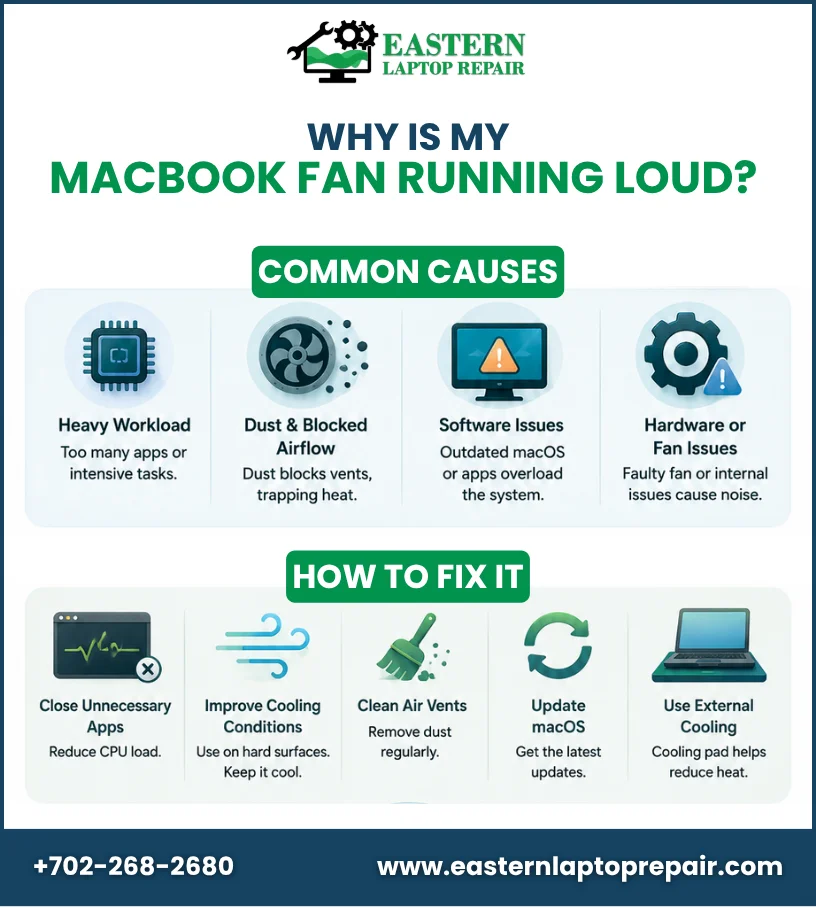
Common Causes of MacBook Fan Running Loud
Let’s explore the common causes behind a MacBook fan running loudly and what triggers it.
1. Heavy Workload and Background Apps
When too many applications run at once, your MacBook works harder. This often triggers MacBook fan running loud behavior during multitasking, video editing, or gaming.
This also connects with reasons MacBook fan runs at full speed, especially when background processes consume CPU power without your notice.
2. Dust and Blocked Airflow
Over time, dust accumulates inside vents and reduces airflow. When cooling becomes difficult, it leads to a MacBook overheating fan speed issue, forcing the fan to spin faster and louder.
Poor ventilation is one of the most common physical causes of overheating in laptops.
3. Software and System Issues
Outdated macOS versions or buggy apps can overload system resources. This often leads to a MacBook fan running constantly fix situation being required because the system never fully cools down.
In some cases, even browser extensions or background sync tools can silently increase CPU usage.
4. Hardware or Fan Malfunction
If the fan itself is damaged or misaligned, it may produce unusual noise. In such cases, you may also notice performance drops linked to MacBook thermal throttling symptoms, where the system slows down to avoid overheating.
How to Fix MacBook Fan Running Loud
Let’s explore practical steps to fix a loud MacBook fan and improve cooling performance quickly.
1. Close Unnecessary Apps and Processes
Start by checking Activity Monitor. If multiple apps are using high CPU, closing them can quickly reduce fan noise and stabilize your MacBook fan running loud issue.
2. Improve Cooling Conditions
Apple recommends using MacBooks in temperatures between 10°C and 35 °C. High room temperatures force the fan to work harder, increasing noise.
Avoid using your MacBook on soft surfaces like beds or cushions, as they block airflow and worsen heat buildup.
3. Clean Air Vents Carefully
Dust buildup restricts airflow and increases internal heat. Cleaning vents can significantly reduce MacBook fan running loudly situations over time.
A simple cleaning routine every few months can improve performance and cooling efficiency.
4. Update macOS Regularly
System updates often include performance and thermal management improvements. Keeping your macOS updated can help reduce unnecessary fan activity.
5. Use External Cooling Support
Using a cooling pad or placing your MacBook on a hard surface helps maintain a stable temperature and reduces fan strain.
When a Loud Fan Becomes a Problem
A MacBook fan running loudly is normal during heavy use, but it becomes a concern when:
- The fan runs loudly even when idle
- The system heats up quickly
- Performance becomes slow or laggy
- Noise continues for long periods
At this stage, it may indicate deeper hardware or thermal issues.
| Not sure what the issue is? Reach out for quick guidance and troubleshooting help. Contact us |
Conclusion
A MacBook fan running loudly is usually a response to heat or system load, but constant noise can indicate deeper issues. Regular cleaning, software updates, and proper usage help reduce fan stress. If the problem continues, professional diagnosis ensures your MacBook stays safe, stable, and performs efficiently over time.
FAQs
1. Why is my MacBook fan so loud during normal use?
It may be due to background apps, dust buildup, or high system temperature.
2. Is a loud MacBook fan dangerous?
Not immediately, but it can indicate overheating or internal stress if it continues.
3. How do I stop my MacBook fan from running constantly?
Close heavy apps, clean vents, and update macOS to reduce load and heat.
4. What causes the MacBook’s overheating fan speed issue?
Poor ventilation, heavy usage, or outdated software are common reasons.
5. When should I get professional help?
If your MacBook fan runs loudly even when idle, it is best to get it checked by a technician.