
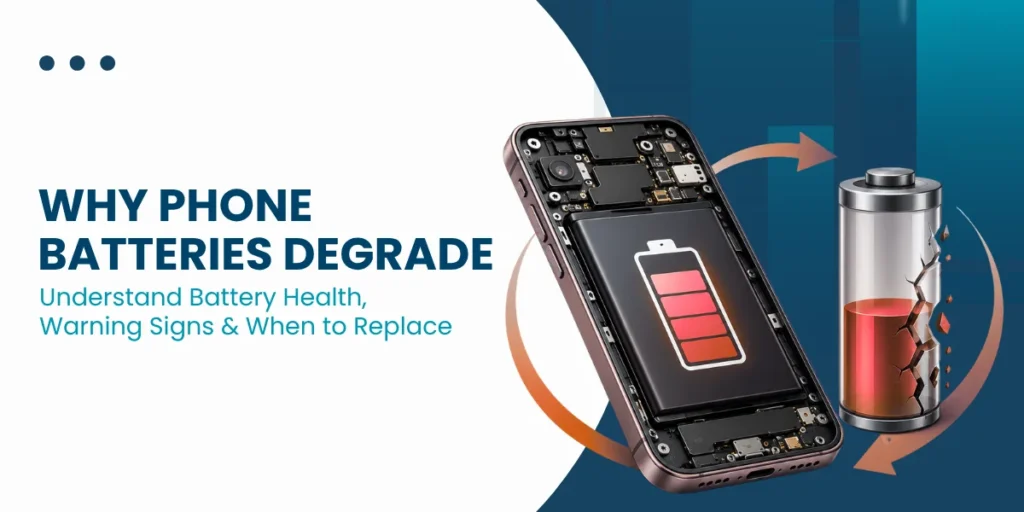
Why phone batteries degrade is something almost every smartphone user experiences sooner or later. At first, your phone easily lasts all day. But over time, you start charging it more often, and the performance feels inconsistent.
This is not a defect. It is a natural process. Smartphone batteries are built using chemical systems that slowly wear out with use.
- According to battery research, most lithium-ion batteries retain about 80% of their original capacity after 300 to 500 charge cycles, which, for many users, translates to around 1.5 to 2 years of regular use.
Understanding how batteries work and what affects them can help you make better decisions and improve phone battery performance over time.
What Type of Batteries Do Smartphones Use?
Modern smartphones rely on lithium-ion batteries. These are widely used because they offer a strong balance between size, weight, and energy storage.
Compared to older battery technologies, lithium-ion batteries:
- Store more energy in a smaller space
- Charge faster and more efficiently
- Require less maintenance
However, a lithium-ion battery’s lifespan is not unlimited. Every charge and discharge slowly reduces its ability to hold power, which is why battery performance declines with time.
| Not sure about your battery condition? Contact us today for expert guidance and a professional phone battery health check. Contact Now |
How Phone Batteries Work
Phone batteries store energy and supply it to your device when needed to power its functions.
Basic Components
A smartphone battery includes four main parts:
- Cathode (stores lithium ions)
- Anode (receives lithium ions)
- Electrolyte (allows ion movement)
- Separator (prevents short circuits)
Charging Process
When you plug in your phone, lithium ions move from the cathode to the anode. This stores energy inside the battery.
Discharging Process
When you use your phone, those ions move back, releasing energy that powers your apps, screen, and system.
This continuous movement is what defines a smartphone battery cycle, and each cycle contributes slightly to wear.
What is a Charge Cycle?
A smartphone battery cycle is not just charging from 0% to 100% in one go. Instead, it is the total of multiple partial charges that add up to 100%.
For example:
- Charging 40% today and 60% later = one full cycle
Most devices are designed to handle a few hundred cycles efficiently. After that, phone battery health check tools often show a noticeable decline in capacity and performance.

Why Phone Batteries Degrade Over Time? Common Reasons
Over time, phone batteries lose capacity due to chemical aging, heat, usage habits, and natural wear from charging cycles.
Chemical Aging
The main reason why phone batteries degrade is internal chemical change. Each cycle slightly alters the battery structure, making it less efficient at holding a charge.
Heat Exposure
Heat is one of the biggest enemies of battery health. Studies show that high temperatures can significantly accelerate degradation, especially above 35°C.
Charging Habits
Keeping your battery at extreme levels (0% or 100%) for extended periods puts stress on it and reduces its lifespan.
Fast Charging Impact
Fast charging is convenient, but it produces more heat. While modern phones manage this well, frequent fast charging can still contribute to long-term wear.
Time-Based Degradation
Even if you barely use your phone, the battery continues to age. This is why older devices often show battery issues even with light usage.
| Need Battery Repair? If your phone battery drains unusually fast or heats up during normal use, it may need professional attention. A quick battery check can identify the issue early and help restore performance. Repair Your Phone Battery Now |
Signs Your Phone Battery is Degrading
Recognizing battery replacement signs early can save you from sudden breakdowns:
- The battery drains much faster than before
- Phone shuts down unexpectedly
- The device becomes warm even during light use
- Performance slows due to power limitations
Running a regular phone battery health check can give you a clear idea of your battery condition.
Factors That Affect Battery Lifespan
Battery performance is not just about usage time. Several everyday habits play a role:
- Heavy apps like gaming or video streaming
- Exposure to heat, especially while charging
- Low-quality or incompatible chargers
- Background apps are constantly running
These factors directly influence lithium-ion battery lifespan and the rate at which it declines.
What You Can Do to Extend Your Battery Life
Smart Charging Habits
Keeping your battery between 20% and 80% reduces stress on the battery and helps maintain efficiency.
Reduce Heat Exposure
Avoid using your phone heavily while charging, as this generates additional heat.
Optimize Settings
Simple adjustments like lowering brightness or limiting background activity can make a noticeable difference.
Use Reliable Accessories
Using certified chargers ensures stable power delivery and protects your battery.
| Get Complete Phone Repair Services If your phone has issues beyond the battery, get a full check to fix hidden problems. Book Full Phone Repair |
Can You Replace or Repair a Battery?
Yes, and in many cases, it is the most practical solution.
When to Replace
- Battery health drops below 80%
- Phone struggles to last even a few hours
- Frequent overheating or shutdowns
Cost Consideration
The cost to replace a phone battery varies by model, but it is generally much more affordable than buying a new device. Industry estimates suggest battery replacement costs are often 70–80% lower than the cost of replacing the phone itself.
Conclusion
Why phone batteries degrade comes down to natural chemical aging, usage patterns, and environmental factors. While you cannot completely stop this process, you can slow it down with better habits.
By understanding how batteries work and recognizing early battery replacement signs, you can improve phone battery performance and extend its usable life. And when needed, timely replacement keeps your device running smoothly without unnecessary upgrades.